Look closely. What comes next? Observa bien. ¿Qué sigue?
Patterns is a calm, colorful game where children with autism complete patterns of shapes, colors and objects, one missing piece at a time. Patrones (Patterns) es un juego tranquilo y colorido en el que niños con autismo completan patrones de figuras, colores y objetos, una pieza a la vez.



Try it right herePruébalo aquí
Finish the patternCompleta el patrón
These shapes come straight from the app. Find the piece that completes each pattern, then drag it to the empty space or tap it. Estas figuras vienen directamente de la app. Encuentra la pieza que completa cada patrón y arrástrala al espacio vacío, o tócala.
How it worksCómo funciona
Look, compare, complete.Observa, compara, completa.
Every level is a short row of pictures with one piece missing. A clear goal and a predictable rhythm make it easy to start and satisfying to finish.Cada nivel es una fila corta de imágenes a la que le falta una pieza. Una meta clara y un ritmo predecible hacen que sea fácil empezar y agradable terminar.
- 1
Look at the patternObserva el patrón
Shapes, colors, sizes and positions repeat in a rule, like A-B or A-A-B. The child studies the row to find it.Las figuras, colores, tamaños y posiciones se repiten siguiendo una regla, como A-B o A-A-B. El niño observa la fila para descubrirla.
- 2
Drag the missing pieceArrastra la pieza que falta
Choose from the pieces at the bottom of the screen. Missed? There’s another try, with no fuss.Elige entre las piezas de la parte inferior de la pantalla. ¿No era esa? Hay otro intento, sin presiones.
- 3
Earn stars, open worldsGana estrellas, abre mundos
Finished levels earn stars, and stars open new themed worlds. Each play is saved to the student’s history for grown-ups to review.Los niveles terminados dan estrellas, y las estrellas abren nuevos mundos temáticos. Cada partida se guarda en el historial del estudiante para que los adultos la revisen.
The worldsLos mundos
15 themed worlds to explore.15 mundos temáticos por explorar.
From pirate ships to outer space, each world has its own pictures to put in order: hats and treasure maps, sweets, snowmobiles, rockets and more.De barcos piratas al espacio exterior, cada mundo tiene sus propias imágenes para ordenar: sombreros y mapas del tesoro, dulces, motos de nieve, cohetes y más.
 AirplaneAvión
 CandylandCandyland
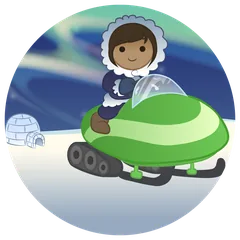 North PolePolo Norte
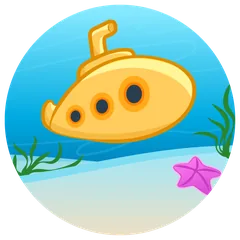 OceanOcéano
 PiratesPiratas
 Race CarCarreras
 SpaceEspacio
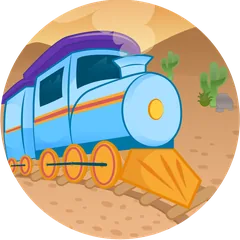 TrainTren
Plus Food, Fair, Jungle, Beach, Park, School and Bugs, and Practice, a world of colorful shapes. Some worlds are open from the start; the rest open as the child collects stars.Además Comida, Feria, Jungla, Playa, Parque, Escuela e Insectos, y Práctica, un mundo de figuras de colores. Algunos mundos están abiertos desde el inicio; los demás se abren a medida que el niño junta estrellas.
Made to fit each childHecho a la medida de cada niño
You choose the patterns. Patterns adjusts the pace.Tú eliges los patrones. Patrones ajusta el ritmo.
Parents and teachers set up the patterns for each student in Manage Content, behind the parent gate.Padres y maestros configuran los patrones de cada estudiante en Administrar Contenido, detrás del control parental.
Pick what to practiceElige qué practicar
Turn on the pattern types you want, from a simple A-B to A-B-C-C:Activa los tipos de patrón que quieras, desde un simple A-B hasta A-B-C-C:
A-B A-A-B A-B-B A-B-A A-A-B-B A-B-C A-A-B-C A-B-B-C A-B-C-C
Then choose objects (a plane, a ball) or contours (a triangle, a rectangle), painted or plain, and whether pieces also vary in size and position.Luego elige objetos (un avión, una pelota) o contornos (un triángulo, un rectángulo), con o sin color, y si las piezas también cambian de tamaño y de posición.
Difficulty that follows the childUna dificultad que sigue al niño
Patterns start short and simple. As the child plays, the game automatically adjusts difficulty through the levels based on how they’re doing: longer rows, then the size and position variations you allowed.Los patrones empiezan cortos y sencillos. Mientras el niño juega, la dificultad se ajusta automáticamente a lo largo de los niveles según su desempeño: filas más largas y, después, las variaciones de tamaño y posición que hayas permitido.
Each student keeps their own options and progress, so siblings or a whole class can share one device.Cada estudiante tiene sus propias opciones y su propio avance, así que hermanos o un salón entero pueden compartir un dispositivo.
Thoughtfully madeHecho con cuidado
Calm for children, clear for grown-ups.Tranquilo para los niños, claro para los adultos.
Simple, friendly screens to play, with everything a parent, teacher or therapist needs tucked safely behind a parent gate.Pantallas sencillas y amigables para jugar, con todo lo que necesitan padres, maestros y terapeutas guardado detrás de un control parental.
English and SpanishInglés y español
Switch the app’s language any time in Settings, whatever language the device uses.Cambia el idioma de la app cuando quieras en Ajustes, sin importar el idioma del dispositivo.
Student profilesPerfiles de estudiante
A name and a picture for each child: a photo, an EdNinja character, or a color with their initials.Un nombre y una imagen para cada niño: una foto, un personaje de EdNinja o un color con sus iniciales.
Play historyHistorial de juego
See each student’s plays by world: when they played, levels completed and correct answers.Consulta las partidas de cada estudiante por mundo: cuándo jugó, niveles completados y respuestas correctas.
Gentle startUn inicio amable
A short tutorial shows how to play: look at the images, drag the missing piece, and try again if you miss.Un tutorial corto enseña a jugar: observa las imágenes, arrastra la pieza que falta y vuelve a intentar si fallas.
iPhone and iPadiPhone y iPad
Made for both, in portrait or landscape, from a phone to a large iPad.Hecho para ambos, en vertical u horizontal, desde un teléfono hasta un iPad grande.
Designed with expertsDiseñado con expertos
Created with experienced autism therapists and institutions including Fundación Pasitos, CETYS University and UABC.Creado con terapeutas con experiencia en autismo e instituciones como Fundación Pasitos, CETYS Universidad y la UABC.
For parents and teachersPara padres y maestros
Small steps toward early math.Pequeños pasos hacia las matemáticas.
Recognizing and continuing patterns is an early math skill, and it asks a child to look carefully and compare. Patterns turns that practice into a short, calm game a child can play again and again.Reconocer y continuar patrones es una habilidad matemática temprana que pide al niño observar con cuidado y comparar. Patrones convierte esa práctica en un juego corto y tranquilo que el niño puede jugar una y otra vez.
- Practice visual discrimination of shapes, colors and sizesPractica la discriminación visual de figuras, colores y tamaños
- Notice position and direction: up, down, left and rightFíjate en la posición y la dirección: arriba, abajo, izquierda y derecha
- Build attention and focus with clear, short tasksDesarrolla la atención y la concentración con tareas cortas y claras
- Follow progress over time in each student’s historySigue el avance en el historial de cada estudiante

Private by designPrivado desde el diseño
No ads, no accounts, no analytics and no tracking.Sin anuncios, sin cuentas, sin analíticas y sin rastreo.
Students’ names, photos, progress and play history stay on your device. Settings, adding or editing students, Game Options, Manage Content and links sit behind a parent gate that young children can’t pass.Los nombres, fotos, avance e historial de los estudiantes se quedan en tu dispositivo. Los Ajustes, agregar o editar estudiantes, la Configuración de Juego, Administrar Contenido y los enlaces están detrás de un control parental que los niños pequeños no pueden pasar.

HelpAyuda
Questions and answersPreguntas frecuentes
Can’t find what you need? Write to us and a real person will answer.¿No encuentras lo que buscas? Escríbenos y te responderá una persona.
What is the parent gate?¿Qué es el control parental?
Grown-up areas (Settings, adding, editing or deleting students and taking their photo, Game Options, Manage Content, Leave Feedback and every link out of the app) are protected by a parent gate: press and hold all three circular locks at the same time until each one fills up and opens. It’s easy for an adult and hard for a young child to do by accident. With VoiceOver or Switch Control turned on, the gate asks you to type a number written in words instead.
Las áreas para adultos (Ajustes, agregar, editar o eliminar estudiantes y tomar su foto, Configuración de Juego, Administrar Contenido, Danos tu opinión y cualquier enlace fuera de la app) están protegidas por un control parental: mantén presionados los tres candados circulares al mismo tiempo hasta que cada uno se llene y se abra. Es fácil para un adulto y difícil para un niño pequeño hacerlo por accidente. Con VoiceOver o Control por botón activados, el control te pide escribir con dígitos un número escrito en palabras.
How do I add, edit or delete a student?¿Cómo agrego, edito o elimino un estudiante?
Open Settings in Patterns (you’ll pass the parent gate), then Students › Manage Students. Add a student with the new-student tile, or tap a student to change their name or picture. To delete a student, tap them, then Delete › Delete. Deleting a student removes their profile, photo, progress and play history from the device; it can’t be undone.
Abre Ajustes en Patrones (pasarás el control parental) y luego Estudiantes › Administrar estudiantes. Agrega un estudiante con la casilla de nuevo estudiante, o toca a un estudiante para cambiar su nombre o su imagen. Para eliminarlo, tócalo y luego Borrar › Eliminar. Eliminar un estudiante borra su perfil, foto, avance e historial de juego del dispositivo; no se puede deshacer.
How do I choose which patterns a student plays?¿Cómo elijo qué patrones juega un estudiante?
Open Manage Content (behind the parent gate). Choose the pattern types, objects or contours, colors, and the size and position variations for the current student. The game then adjusts difficulty on its own as the student plays. Sounds, help and motion are in Game Options (also behind the parent gate). For each student: Show progress, Voice and Audio effects. For all players: Music (off by default), Help after a mistake and Calm mode.
Abre Administrar Contenido (detrás del control parental). Elige los tipos de patrón, objetos o contornos, colores y las variaciones de tamaño y posición para el estudiante actual. Después, el juego ajusta la dificultad solo mientras el estudiante juega. Los sonidos, la ayuda y el movimiento están en Configuración de Juego (también detrás del control parental). Para cada estudiante: Ver progreso, Voz y Audios. Para todos los jugadores: Música (apagada de forma predeterminada), Ayuda tras un error y Modo calma.
How do I change the language?¿Cómo cambio el idioma?
Open Settings in Patterns (behind the parent gate) and tap Change Language. Choose English or Spanish; the app switches right away, whatever language your device uses.
Abre Ajustes en Patrones (detrás del control parental) y toca Cambiar idioma. Elige inglés o español; la app cambia de inmediato, sin importar el idioma de tu dispositivo.
Are there ads or in-app purchases?¿Hay anuncios o compras dentro de la app?
There are no ads. Patterns is free to download, and three themes (one in each world) are free to play. An optional Patterns Premium subscription, monthly or yearly with a one-week free trial, unlocks all 15 themes. It is sold by Apple, with the price shown before you confirm, it renews until you cancel it in your Apple Account settings, and the subscription screen sits behind the parent gate. Students, their progress and every setting stay yours whether or not you subscribe.
No hay anuncios. Patrones se descarga gratis y tres temas (uno en cada mundo) se juegan gratis. Una suscripción opcional, Patrones Premium, mensual o anual con una semana de prueba gratis, desbloquea los 15 temas. La vende Apple, con el precio a la vista antes de confirmar, se renueva hasta que la canceles en los ajustes de tu cuenta de Apple, y la pantalla de suscripción está detrás del control parental. Los estudiantes, su progreso y todos los ajustes siguen siendo tuyos, te suscribas o no.
Where is my data stored? Does it sync?¿Dónde se guardan mis datos? ¿Se sincronizan?
Everything (students, photos, settings, progress and play history) is stored inside the app on your device. EdNinja has no servers that receive it, and the app doesn’t sync between devices. Your data is included in your device’s own iCloud or computer backups, so restoring a backup to a new device brings it back. Deleting the app deletes the data.
Todo (estudiantes, fotos, ajustes, avance e historial) se guarda dentro de la app en tu dispositivo. EdNinja no tiene servidores que lo reciban, y la app no sincroniza entre dispositivos. Tus datos se incluyen en los respaldos de iCloud o de computadora de tu dispositivo, así que al restaurar un respaldo en un dispositivo nuevo vuelven. Al eliminar la app se eliminan los datos.
Is Patterns a therapy?¿Patrones es una terapia?
No. Patterns is an educational game that parents, teachers and therapists can use alongside the support a child already receives. It is not a medical or therapeutic service and doesn’t replace advice from a qualified professional.
No. Patrones es un juego educativo que padres, maestros y terapeutas pueden usar junto con el apoyo que el niño ya recibe. No es un servicio médico ni terapéutico y no sustituye el consejo de un profesional calificado.
Still need help?¿Necesitas más ayuda? Tell us your device and what happened.Cuéntanos qué dispositivo usas y qué pasó.
support@edninja.app
Ready to find what comes next?¿Listos para descubrir qué sigue?
Get Patterns on the App Store for iPhone and iPad.Descarga Patrones en la App Store para iPhone y iPad.
Download on theDescárgalo en laApp Store